

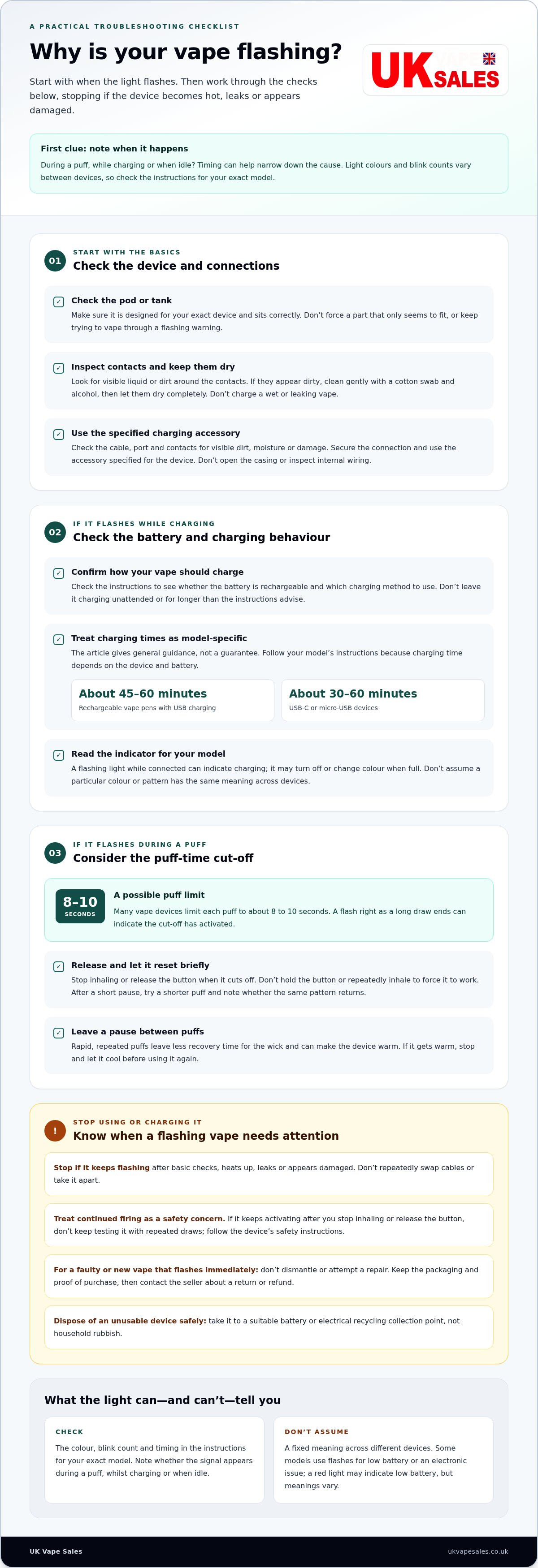
A flashing vape usually signals a battery, connection or safety issue, or that the puff-time limit has been reached. If you’re wondering why your vape is flashing, note whether it happens during a puff, while charging or when the device is idle. The timing can help narrow down the cause. Light patterns vary between devices, so no blink count or colour has one universal meaning.
It’s frustrating when a vape stops working without a clear explanation. Start with simple checks: make sure the device is charged, inspect the connections and let it rest briefly if it has been used repeatedly.
This guide explains how to troubleshoot a blinking vape, interpret its indicator and understand puff limits and overheating protection. You’ll also learn when to stop using the device if it keeps flashing or appears to be firing by itself.
Key Takeaways
- Notice when the light flashes, such as during a puff, while charging or when the device is idle, to help narrow down the cause.
- Check the battery and connections, and make sure everything is dry before trying the device again.
- If the light flashes during a long puff, let the device reset and try shorter puffs with a pause between them.
- Light colours and blink counts vary between devices, so use the instructions for your specific model to interpret its signals.
- Stop using a device that keeps firing after you stop inhaling, or continues flashing after basic checks.
How to Fix a Blinking Disposable Vape?
For a rechargeable or refillable vape, flashing can point to a low battery, a poor connection or an electronic fault. Work through these checks in order, and stop if the device becomes hot, leaks or appears damaged.
For a faulty vape, stop using it and contact the seller to discuss a return or refund. Take the device to a suitable battery or electrical recycling collection point, not household rubbish. The UK Government names the Nicotine Inhaling Products Regulations 2015 as the law governing age restrictions on vape sales.
-
Check the cartridge and charging accessories
Check that the pod or tank is designed for your exact device and sits correctly in its connection. A part can seem to fit yet still be incompatible, so don’t force it or keep trying to vape through a flashing warning. Look for visible liquid around the contacts. If they appear dirty, clean them gently with a cotton swab and alcohol, then let them dry completely.
Use the charging accessory specified for the device. An unsuitable cable or adapter can interrupt charging or contribute to a fault. Don’t open the casing to inspect internal wiring.
-
Charge or replace the vape
Check the device instructions to confirm its charging method and whether its battery can be recharged. Use only the correct charging accessory, and don’t leave the vape charging unattended or for longer than the instructions advise. If the device is designed for replaceable pods, fitting a fresh pod may help when the battery and connections are working normally.
If a new vape flashes immediately, don’t dismantle it or attempt a repair. Keep the packaging and proof of purchase, then contact the seller to explain the fault and ask about a return or refund.
-
Read the charging time and indicators
For rechargeable vape pens with USB charging, charging may take about 45-60 minutes; USB-C or micro-USB devices may take about 30-60 minutes. Treat these as general guidance and follow the instructions for your own model, since charging time depends on the device and battery.
A light that flashes while the vape is connected can indicate charging. It may turn off or change colour when the battery is full. Check the model’s instructions for its indicator behaviour rather than assuming the same colour or pattern means the same thing on every device.
-
Troubleshoot charging problems
If charging doesn’t begin, disconnect the vape and inspect the cable, port and contacts for visible dirt, moisture or damage. Make sure the connection is secure, then reconnect it using the appropriate accessory. Keep the device and charging port dry; don’t charge a vape that is wet or leaking.
If the indicator keeps flashing after these checks, or the device heats up, stop charging and using it. Don’t repeatedly swap cables or take the vape apart. Contact the seller about the fault and arrange safe battery recycling if the device can’t be used.
Puff-time limit and overheating protection
A puff-time cut-off usually activates during an unusually long draw. Notice whether the flashing starts as you finish inhaling or occurs independently, then use these steps to distinguish normal limit behaviour from another issue.
- Release the button or stop inhaling when the device cuts off. Many vape devices limit each puff to about 8 to 10 seconds. A flash at the end of a long draw can indicate that this cut-off has activated. Don’t keep holding the button or repeatedly inhale to force the device to work. Let it reset briefly, then take a shorter puff and see whether the same pattern occurs.
- Leave a pause between puffs. Wait several seconds after each draw. This gives the wick time to refresh before the atomizer heats it again. Rapid, repeated puffs allow less recovery time and can make the device warm. If the vape gets warm during chain vaping, stop and let it cool before using it again.
- Interpret advertised puff counts carefully. A puff total is an estimate, not a fixed number of draws every person will get. Disposable-vape estimates were based on average puffs lasting about 1-2 seconds, so longer draws use more of the device’s available e-liquid. In the UK, single-use vapes have been banned for sale since June 2025; the estimate is useful context, not a reason to choose or use one.
- Compare the flash with the puff itself. A brief signal exactly as a prolonged draw ends is more consistent with a time-limit cut-off than flashing that starts while the vape is idle. Note whether the device resets after a short pause and whether the cut-off returns only during long draws. This pattern can help distinguish an expected limit from a persistent fault.
- Notice if the device fires after you stop. A vape that keeps activating after you release its button or stop inhaling is behaving differently from one that has simply reached its puff limit. A stuck puff sensor or another device fault may be involved. Don’t keep testing it with repeated draws. If it continues firing, treat it as a safety concern and follow the device’s safety instructions.
Understanding blink patterns and light colours
Note when the light flashes and what the device was doing; patterns differ between vape models. A flash can signal a low battery or a fault, so stop using or charging a device that keeps flashing unexpectedly.
-
Read the blink pattern and light colour
Check the instructions for your exact model and note the light’s colour, blink count and timing. Some devices blink three times or ten times or more when an electronic issue prevents them from working. A red light may indicate a low battery, either steadily or with a slow blink. Other colours can relate to temperature or voltage settings, but the meaning varies by device.
Don’t assume a code means the same thing across different models. Record whether flashing starts during a puff, after you press a switch or while the device is idle. That detail can help distinguish a normal signal from a problem.
-
Check for blinking after a drop
If flashing starts after the vape hits a hard surface or gets wet, stop using it. The impact or water may have damaged the device, including its battery or internal connections. Don’t open the casing or try to straighten internal parts; this could make the damage worse.
Look only for obvious external damage, such as a cracked case or leaking liquid. Keep a wet or damaged device away from charging and don’t take another puff. A vape that remains faulty after a drop may need replacing.
-
Check whether it blinks while charging
Watch the light while the device is connected. On a rechargeable vape, blinking can simply show that charging is underway; when the battery is full, the light may turn off or change colour. Follow the supplied instructions to interpret the indicator, because colours and sequences differ between devices.
If flashing continues unusually or the vape becomes hot, disconnect it and stop charging. Don’t charge a device that has been dropped, is wet or shows visible damage. A disposable vape without a charging port isn’t rechargeable, so never connect it to a cable.
-
Assess battery or device faults
Consider the timing and behaviour together. A red light or flashing during a puff may indicate a low battery, while repeated flashes can signal an electronic issue. Some devices activate a safety mode to prevent damage from a short circuit. A disposable vape may also blink when its battery is depleted or its e-liquid has run out.
One signal alone can’t confirm the cause. If charging doesn’t clear a low-battery indication, or the vape keeps blinking while idle, stop using it. Persistent flashing, leaking or flashing after an impact points to a device problem, not a reason to keep trying it.
Overheating from excessive use
Repeated use, a hot environment or a device fault can contribute to overheating. If your vape flashes or feels unusually warm, stop using it and follow these checks.
-
Recognise overheating warnings
Stop vaping if the device becomes unusually hot, flashes repeatedly or continues firing after you release the button. A light can warn that protection has activated, but flashing patterns vary between devices. Don’t keep taking puffs to see whether the signal clears; set the vape down and let it cool.
Check the surrounding conditions. A vape left in a hot car should cool before use, and devices should be kept in a cool, dry place away from sunlight. If the casing is damaged, liquid is leaking or the vape keeps heating while idle, don’t use or charge it.
-
Understand overheating protection
Vaping devices are designed to limit long puffs to help prevent overheating. A flashing indicator after a prolonged draw may mean the puff cut-off has activated, rather than indicating battery failure. Release the button, stop inhaling and let the device rest briefly before considering another puff.
Protection isn’t a reason to keep testing a hot vape. If the light stops after the device cools and it behaves normally, avoid repeated long draws and rapid use. If flashing or heating returns without another puff, treat it as a possible fault.
-
Let the device cool before restarting. Set it down in a cool, dry place away from direct sunlight and heat sources. Don’t put it in a fridge or try to cool it with water. Once it feels cool, check for visible damage or leaking liquid before using it again. If it remains hot, keep it out of use.
Chain vaping leaves less time between draws for the device to cool. Pause between puffs instead of repeatedly activating the atomizer. If the vape flashes again as it warms, stop and leave it to cool rather than continuing to use it.
-
Respond to signs of an electrical fault. A short circuit can allow more current than the vape needs, and its safety mode may flash to prevent damage. Stop using the device if you suspect a short circuit; don’t open it or attempt an internal repair. If the vape keeps firing or heating after you stop, move it to a fire-safe location.
Persistent flashing after cooling, or heating while idle, isn’t a normal sign of heavy use. Keep the device away from combustible materials and seek professional repair where appropriate. If it can’t be used safely, arrange battery recycling instead of putting it in household rubbish.
UK Vape Sales: IVG Pro 12 Refill Pods
UK Vape Sales offers IVG Pro 12 Refill Pods for people with a compatible IVG Pro 12 kit who need replacement pods. If troubleshooting shows your device is faulty, don’t rely on a new pod to fix an electrical or battery issue; stop using the device and address the fault first.
If you’re considering a refillable setup instead, UK Vape Sales also offers IVG Kits. Choose pods that are compatible with your kit and follow the device instructions. This can be a practical next step when replacing a faulty vape, but it won’t repair one that keeps flashing or overheating.
Visit ukvapesales.co.uk to explore the available options.
Choose a suitable next step
If you’re still asking why your vape is flashing, use the device model and symptoms you noticed to guide your next step. A replacement pod may help with a worn or depleted pod, but it won’t fix an electrical fault, persistent overheating or a device that fires by itself. In those cases, stop using it rather than risk further use.
For a compatible system, UK Vape Sales offers IVG Pro 12 Refill Pods and various other replacement options. If you need a complete replacement device, it also stocks a wide selection of alternative kits. Check the model name before choosing, as pods and kits are designed for specific systems.
If you’d like help finding the relevant option, contact UK Vape Sales. Take the next step with the device information to hand, and you can make a more informed choice.
Frequently Asked Questions
Why does my vape gurgle or spit liquid?
Gurgling or spitting can happen when a forceful puff draws e-liquid into the narrow airway leading to the mouthpiece. Stop inhaling, remove the mouthpiece if your device allows, and wipe away visible liquid. Try a gentler draw next time. If the problem continues, check the device instructions for cleaning guidance rather than poking objects into the airway, which could damage it.
How should I store my vape to help prevent leaks?
Store the device upright, with its mouthpiece facing upwards. This can help limit e-liquid moving towards the mouthpiece or leaking from the device. Keep it in a cool, dry place away from direct sunlight. If you carry it in a bag, position it upright where possible and check for visible leakage before using or charging it.
What should I do if my vape gets wet?
Don’t use or charge a wet device. Disconnect it from any charging cable and dry the outside carefully. Desiccant packets in a bag for a couple of days may help dry the device if it still doesn’t work. Keep it out of use if it remains faulty, shows damage or becomes warm. Don’t dismantle the casing to dry internal parts.
What should I do if my vape arrives leaking?
Don’t use or charge a device if liquid has leaked around its battery compartment. Keep it separate from other items, avoid opening it, and contact the seller to explain its condition. A leak can affect the device’s electrical function, so don’t assume wiping the outside will resolve the issue. Keep the packaging and proof of purchase while arranging the next step.